
This guide explains how to connect a physical NFC token or smart card to your digital 1Me profile, allowing you to share your details by simply tapping the token on someone’s phone.
Step-by-Step Instructions
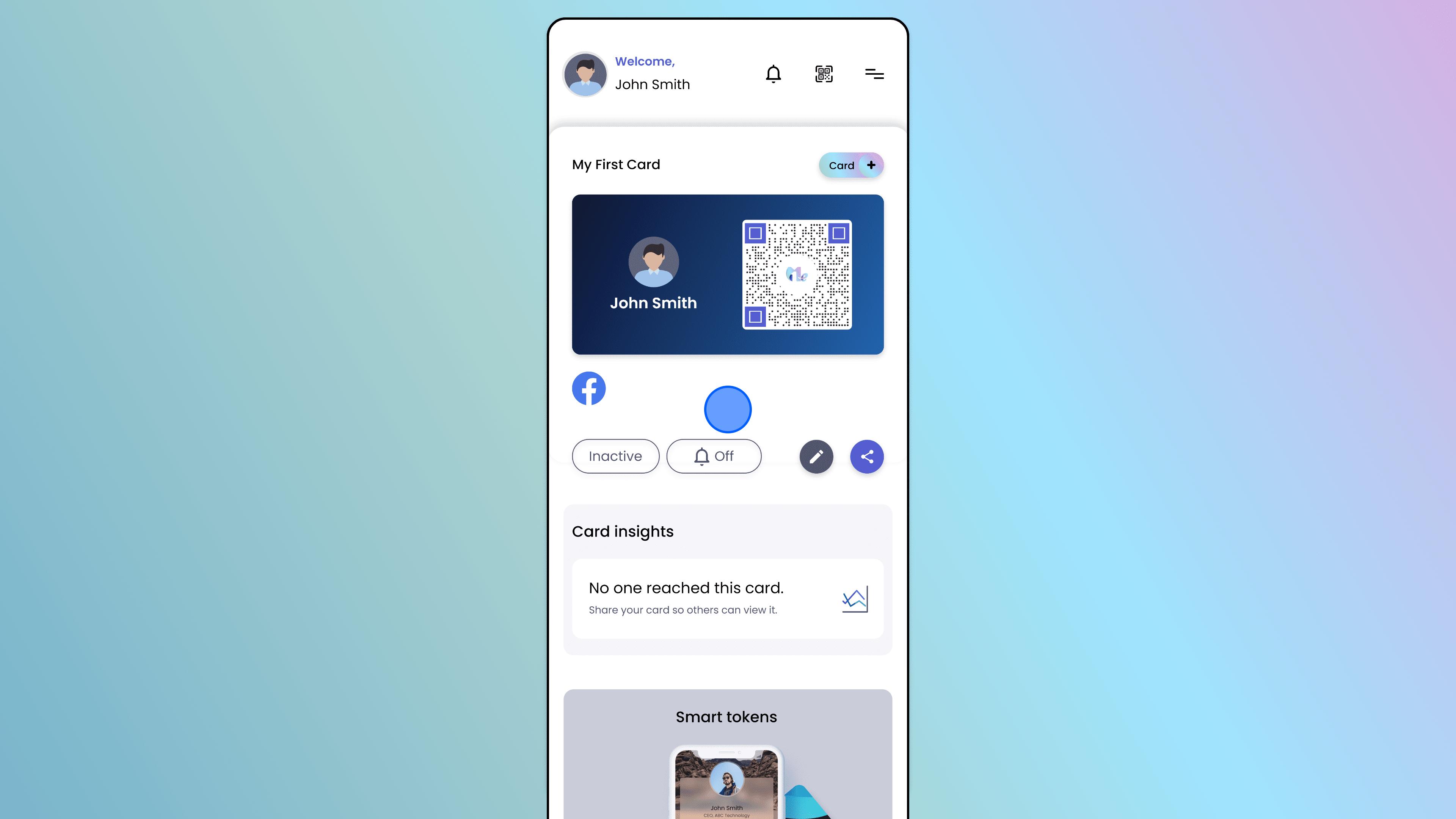
Access Card Details
Open the 1Me app and select the specific card you want to link to a token.
Scroll down to the bottom of the card details screen.
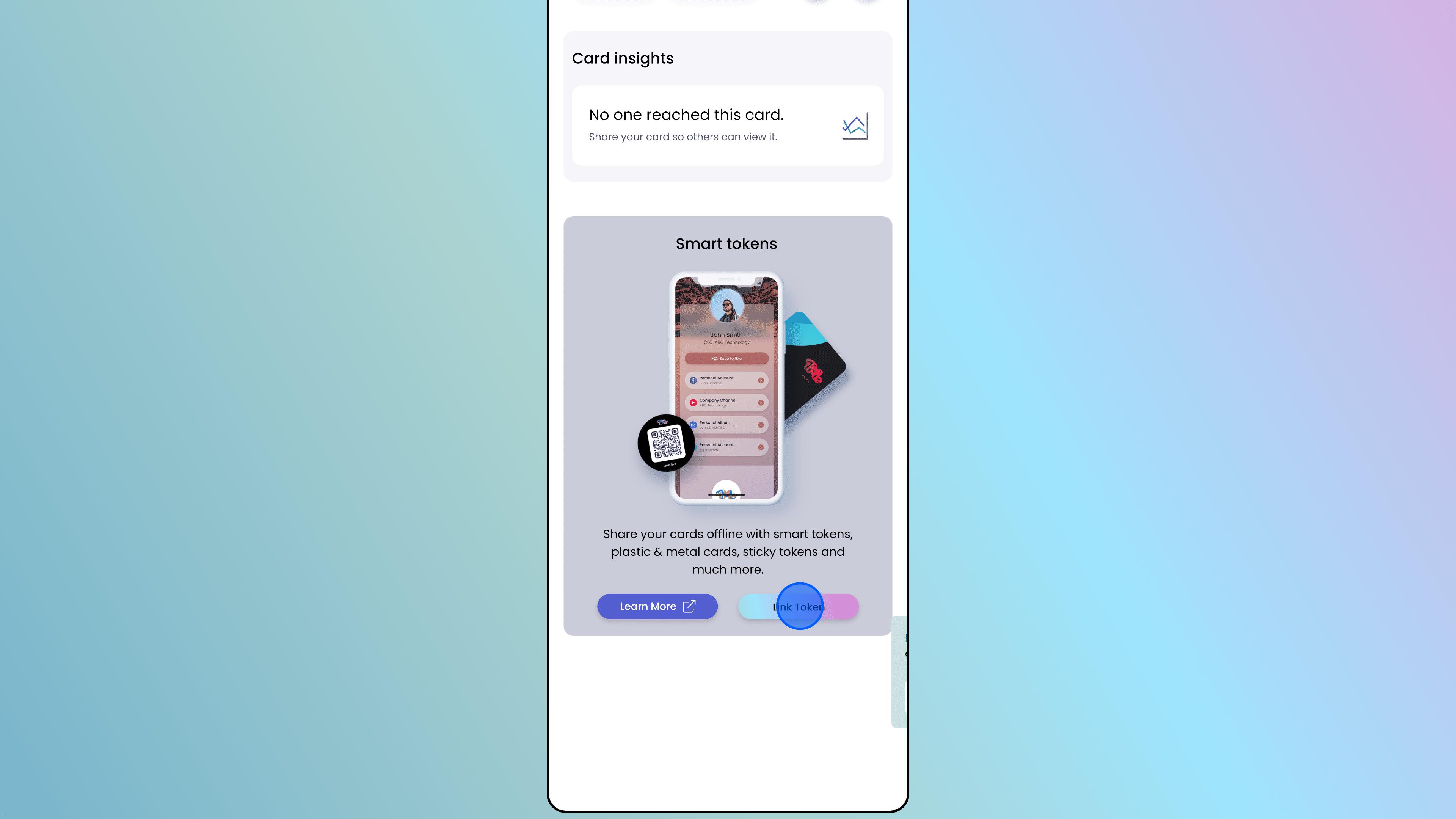
Initiate Linking
Locate the "Smart tokens" section (usually below "Card Insights").
Tap on the button labeled "Link Token".
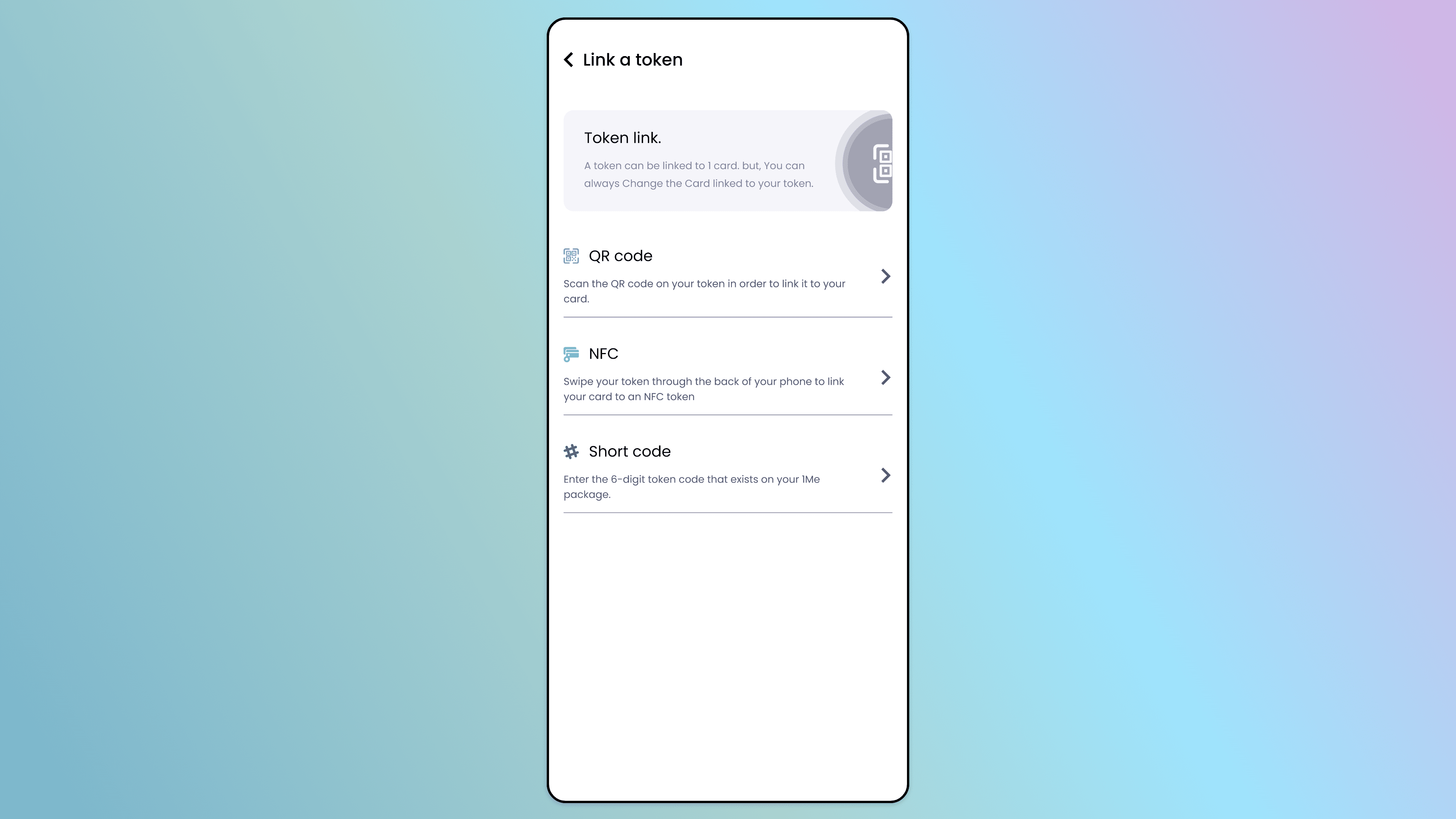
Select Method
You will see a menu titled "Link a token" with different options. Choose the method that matches your token type:
QR code: Scan the QR code printed on your token/packaging.
NFC: Tap your NFC token against your phone to pair it.
Short code: Enter the unique alphanumeric code provided with your token.
Success! Your physical token is now linked to that specific digital card. When you tap your token on a compatible phone, it will instantly open this card.
Walkthrough · 3 steps
Link Token
Still stuck? Chat with us, send us a message or report an issue.